---
description: >-
With Updraft you can resign a your iOS Builds. It allows you to change
attributes in of your App which you uploaded.
---
# iOS Resigning
#### Requirements
* The correct App selected
* A build in your build history
## Resign your app
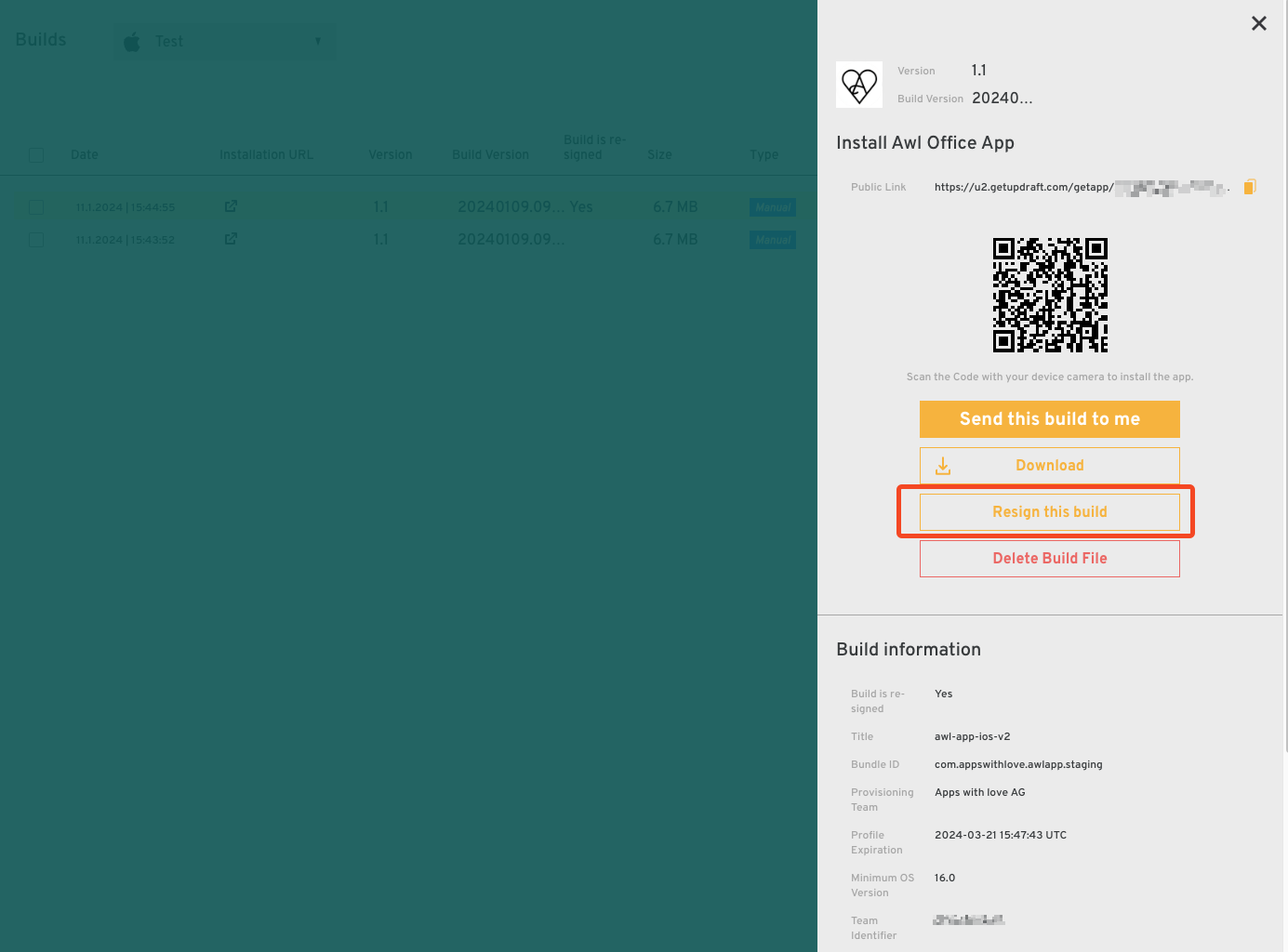
To start resigning your app, go to your build history and press on the build you wish to resign.
Then, you can press on the _Resign this build_-Button on the appeared Dashboard.
Build Dashboard under Apps > Builds
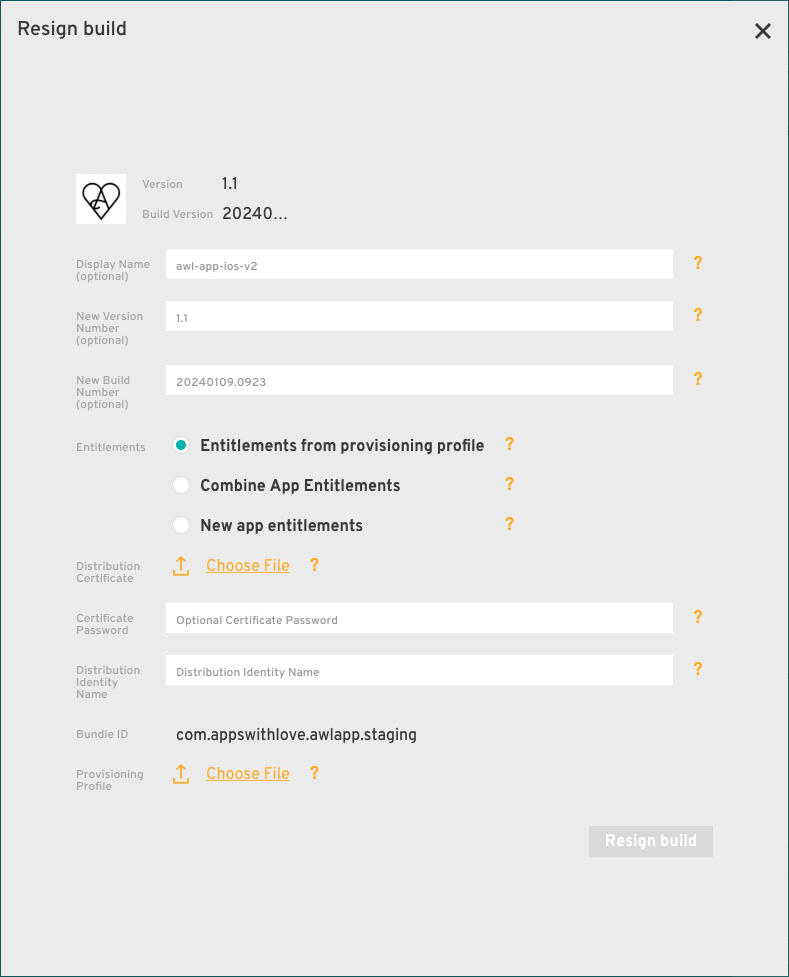
Now you will see a form with different input fields (_Optional_ / **Required\***):
* _Display Name:_ The Name of the App which the User will see on his Homescreen.
* _New Version Number:_ Change the version
* _New Build Number:_ Change the build number
* **Entitlements\*:** Here you can select the source of your Entitlements. An entitlement is a right or privilege of your iOS app. An example is the _Push Notification Entitlement._ To send push notifications from your app, you need to configure the entitlement so your app can has the rights to send notifications. With Updraft you have 3 options to configure entitlements:
* Use the _entitlements from your provisioning profile_: Default, the source of your entitlements is the provisioning profile.
* _Combine App Entitlements:_ Entitlements are merged from the .ipa into the uploaded provisioning profile.
* _New app entitlements:_ Here you can upload a new entitlements.plist file to override all existing entitlements.
* **Distibution Certificate\*:** Upload your .p12 certificate with which you want to resign your app.
* _Certificate Password:_ If your Distribution Certificate is password protected, add it here. If not, leave blank
* **Distribution Identity Name\*:** To distribute an app on the App Store, you need a Apple Distribution code-signing identity. The Input should look like this: `Apple Distribution: ()`, where `` and `` identifies your team. You can get this e.g. from your provisioning profile.
* **Provisioning Profile\*:** To resign your app, Updraft requires an app record registered with an explicit App ID. This is included in the provisioning profile.
The Resign Build form
After you filled all needed fields out, press on _Resign build._ After that you can see a new entry in your build history, with the _Build is resigned_ flag on "Yes". Perfect!